Category

blog

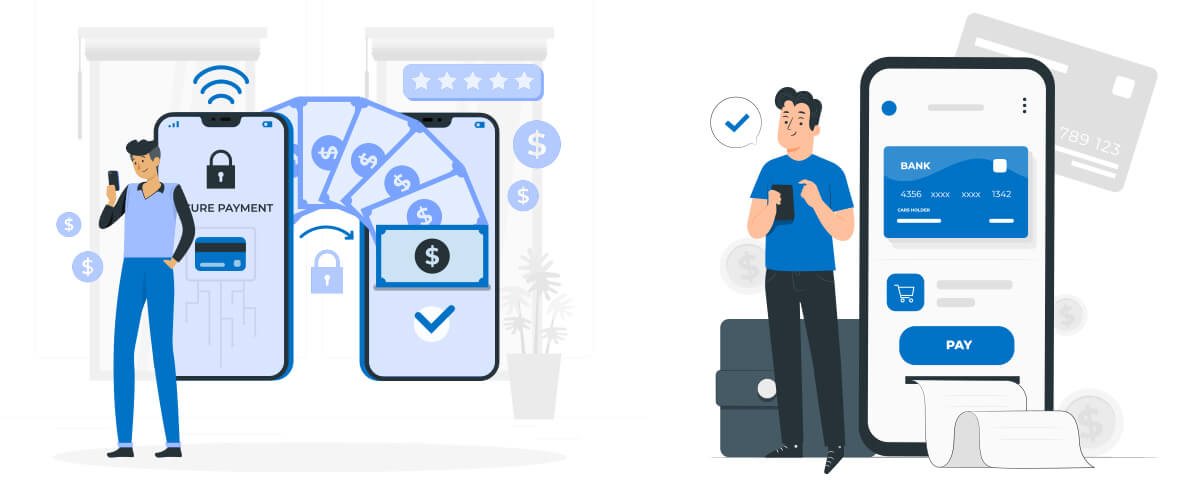
List of payment gateways in UAE

By blog

There are several payment gateways in UAE. Here are some of the most popular ones:

1. Stripe

Stripe is a popular payment gateway that offers a suite of APIs for online payment processing and commerce solutions. Stripe is a user-friendly platform that can be easily integrated into your website or mobile app, and it supports a wide range of payment methods, including credit cards, debit cards, Apple Pay, and Google Pay.

One of the key benefits of Stripe is its ability to scale with your business. As your business grows, you can add new features and integrations to your Stripe account, such as subscription billing, invoicing, and fraud detection.

2. Telr

Telr is a payment gateway that offers a range of payment processing solutions for businesses of all sizes. Telr supports over 120 currencies and provides various payment options such as credit card, debit card, e-wallets, and bank transfers. This makes it easy for businesses to accept payments from customers all around the world.

One of the key benefits of Telr is its flexibility. Telr’s payment gateway can be easily integrated into your website or mobile app, and it provides a range of customizable payment forms and checkout pages. This allows you to tailor the payment process to your specific needs and branding.

3. PayFort

PayFort is a payment gateway that offers a wide range of payment options, including credit cards, debit cards, and electronic payments. With PayFort, businesses can accept payments from customers all around the world, in a variety of currencies.

PayFort offers a range of integration options for major e-commerce platforms, including Magento, Shopify, WooCommerce, and more. This makes it easy for businesses to add PayFort’s payment gateway to their existing online stores and marketplaces.

4. CCAvenue

CCavenue is an Indian payment gateway that offers payment solutions in the UAE, making it easier for businesses to accept payments from customers in the region. CCavenue supports a wide range of payment options, including credit cards, debit cards, net banking, e-wallets, and more, making it easy for businesses to offer their customers a variety of payment options.

CCavenue’s payment gateway is known for its user-friendly interface, which allows businesses to quickly and easily set up and manage their payment processing accounts. The platform also provides detailed reporting and analytics tools, which help businesses track their payment activity, monitor sales performance, and identify trends and insights.

5. Checkout.com

Checkout.com is a payment gateway that offers a range of payment processing solutions for businesses of all sizes. One of the key benefits of Checkout.com is its support for multiple payment methods and currencies. Checkout.com supports a wide range of payment options, including credit and debit cards, bank transfers, and mobile payments, making it easy for businesses to accept payments from customers all around the world.

Checkout.com’s payment gateway is known for its flexibility and customization options. The platform provides businesses with a range of customizable payment forms and checkout pages, allowing them to tailor the payment process to their specific needs and branding.

6. PayTabs

PayTabs is a payment gateway that specializes in providing payment solutions for e-commerce businesses. With PayTabs, businesses can easily accept payments from customers around the world, using a variety of payment methods, including credit and debit cards, net banking, e-wallets, and more.

One of the key benefits of PayTabs is its advanced fraud detection and prevention tools. PayTabs uses machine learning algorithms and other advanced technologies to identify and prevent fraudulent transactions, helping to protect businesses from charge backs and other risks.

7. 2Checkout

2Checkout is a global payment gateway that offers a range of payment processing solutions for businesses of all sizes. One of the key benefits of 2Checkout is its support for various payment methods, including credit cards, PayPal, and bank transfers.

With 2Checkout, businesses can easily accept payments from customers all around the world, using a variety of payment options that are convenient and secure. 2Checkout’s payment gateway is designed to be user-friendly and easy to use, with customizable payment forms and checkout pages that can be tailored to fit a business’s branding and needs.

8. Skrill

Skrill is a digital wallet that enables users to send and receive money securely and conveniently. One of the key benefits of Skrill is its support for multiple currencies, which allows users to make transactions in their preferred currency without having to worry about exchange rates.

With Skrill, users can easily send money to friends, family, or businesses around the world using their email address or mobile number. The platform also offers a range of payment options, including credit and debit cards, bank transfers, and even Bitcoin.

9. PayPal

PayPal is one of the most popular payment gateways in the world, known for its ease of use and secure transaction processing. With PayPal, users can send and receive payments securely and easily, using a range of payment methods, including credit and debit cards, bank transfers, and PayPal’s own digital wallet.

One of the key benefits of PayPal is its widespread adoption and acceptance by merchants around the world. Many online retailers and e-commerce platforms support PayPal as a payment option, making it easy for users to complete transactions without having to enter their payment information each time.

10. Payoneer

Payoneer is a popular payment gateway that provides payment solutions for freelancers, businesses, and e-commerce platforms. The platform offers a range of payment options, including credit and debit cards, bank transfers, and Payoneer’s own digital wallet, making it easy for users to send and receive payments securely and conveniently.

One of the key benefits of Payoneer is its support for multiple currencies, which allows users to make and receive payments in their local currency without having to worry about exchange rates. This makes Payoneer a popular choice for users who work with clients or vendors in other countries and need a fast, reliable, and cost-effective way to send and receive payments.

11. Razorpay

Razorpay is an Indian payment gateway that provides payment solutions for businesses in the UAE. The platform offers a range of payment options, including credit and debit cards, net banking, and popular mobile wallets, making it easy for users to send and receive payments securely and conveniently.

One of the key benefits of Razorpay is its integration with major e-commerce platforms, such as Shopify, WooCommerce, and Magento. This allows businesses to easily integrate Razorpay into their existing systems and start accepting payments right away, without the need for additional coding or development.

12. Noon Payments

Noon Payments is a popular financial technology company that provides businesses and consumers with secure and convenient payment options. Their cutting-edge technology and user-friendly interface allow for seamless transactions across several payment methods, including credit/debit cards, digital wallets, and bank transfers.

Noon Payments, with a focus on speed, security, and innovation, enables businesses to accept payments and transfer funds with ease, while providing a dependable and hassle-free experience for all parties involved.


Looking for e-commerce website or payment gateway integration in Dubai – UAE? Look no further, contact us for your e-commerce website and payment gateway integrations.

Instagram SEO tips & tricks to boost your profile

By blog

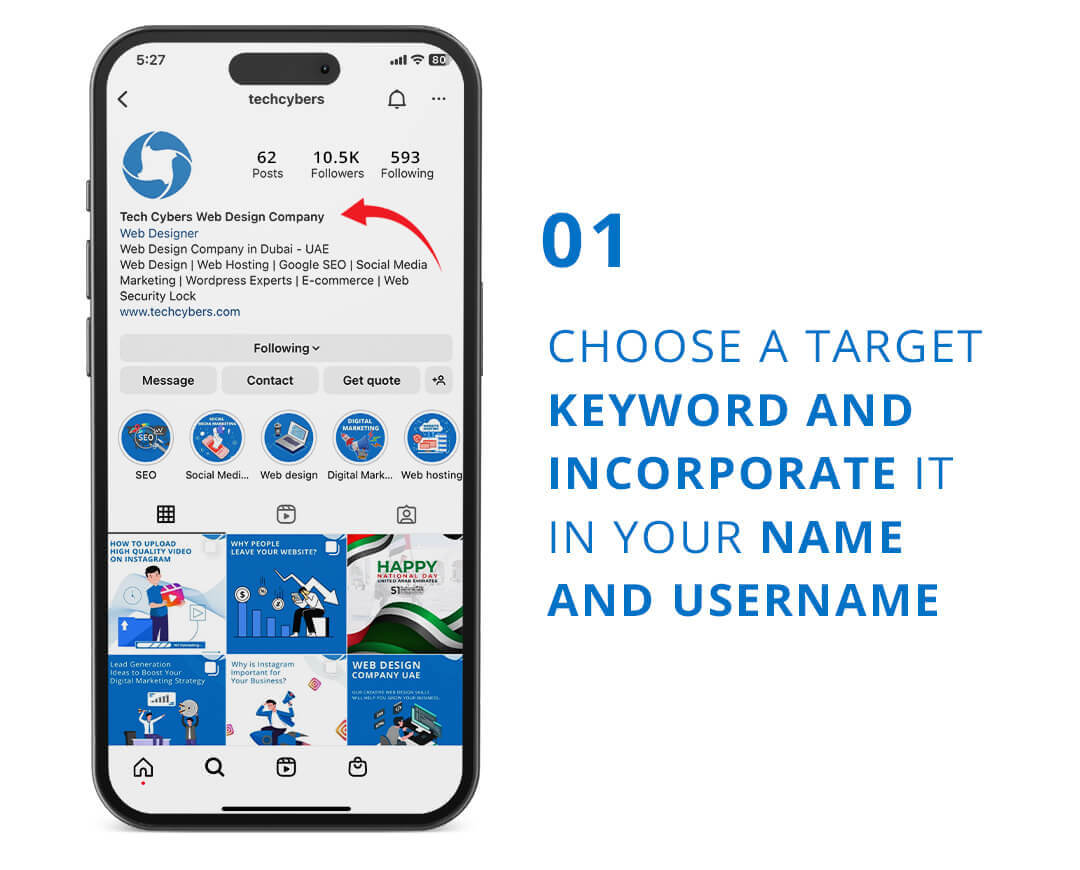
1. Choose a target keyword and incoporate it in your name and username

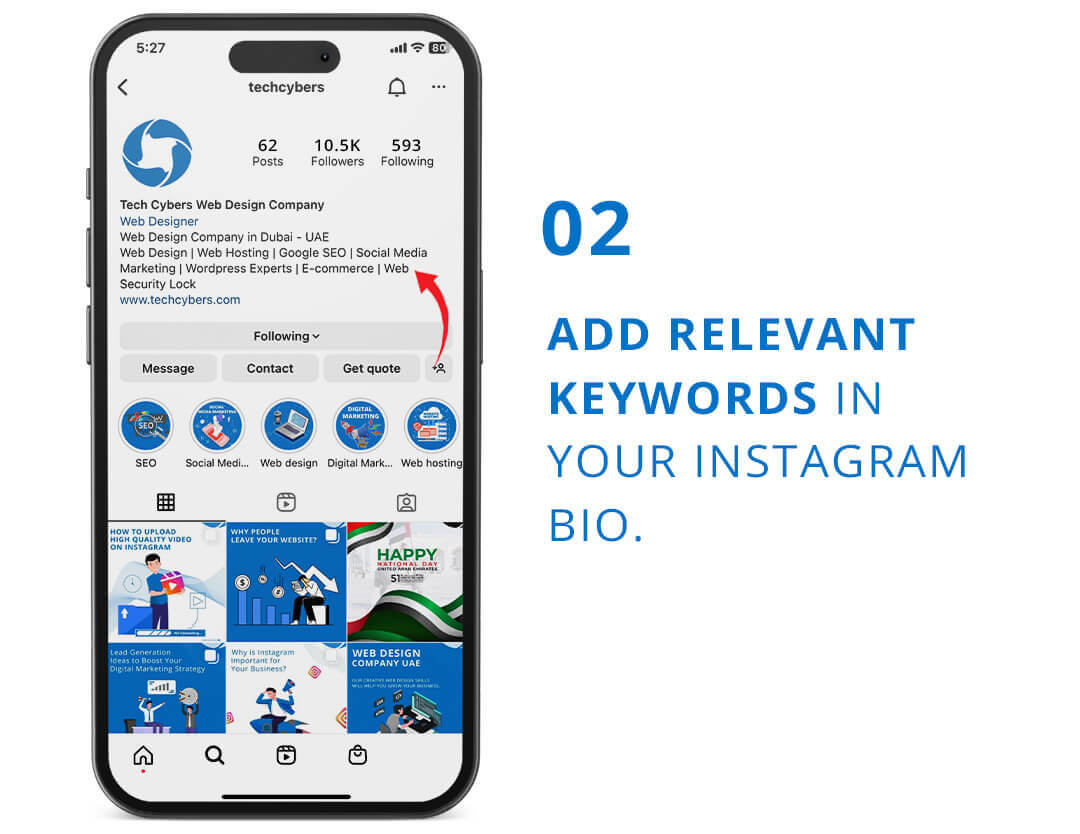
2. Add relevant keywords in your instagram bio

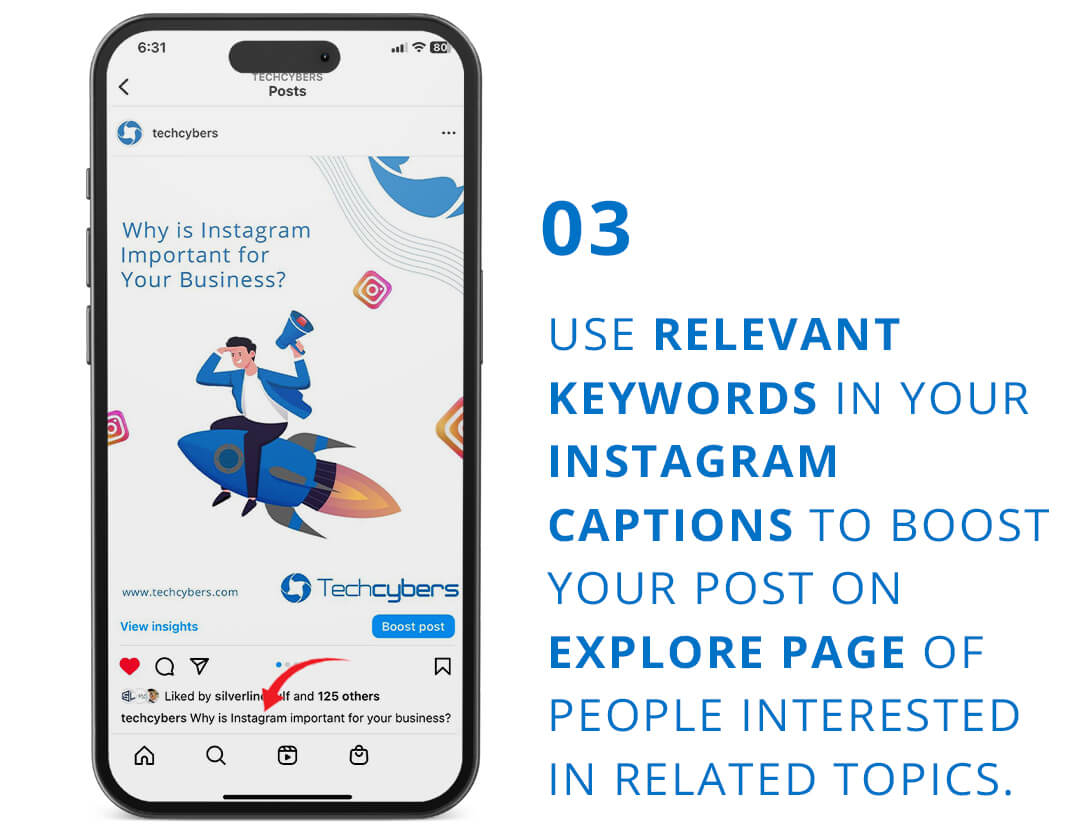
3. Use relevent keywords in your instagram captions to boost your post on explore page of people interestedin related topics

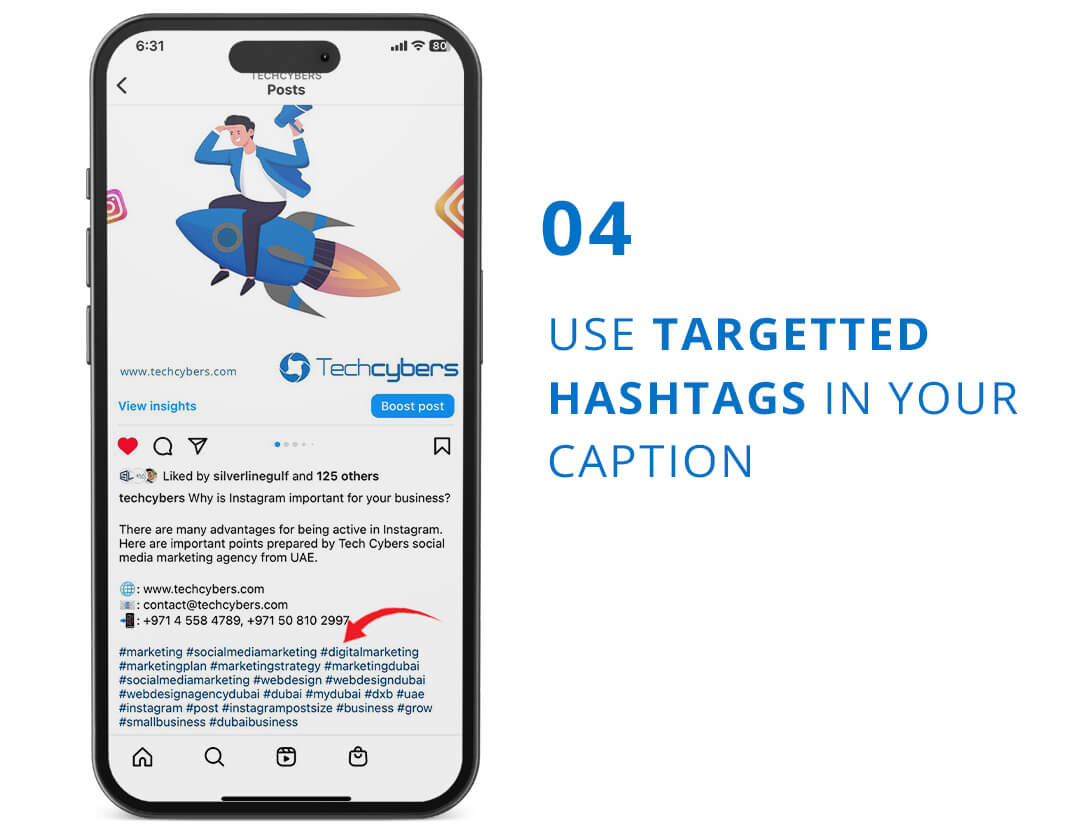
4. Use targeted hashtags in your captions

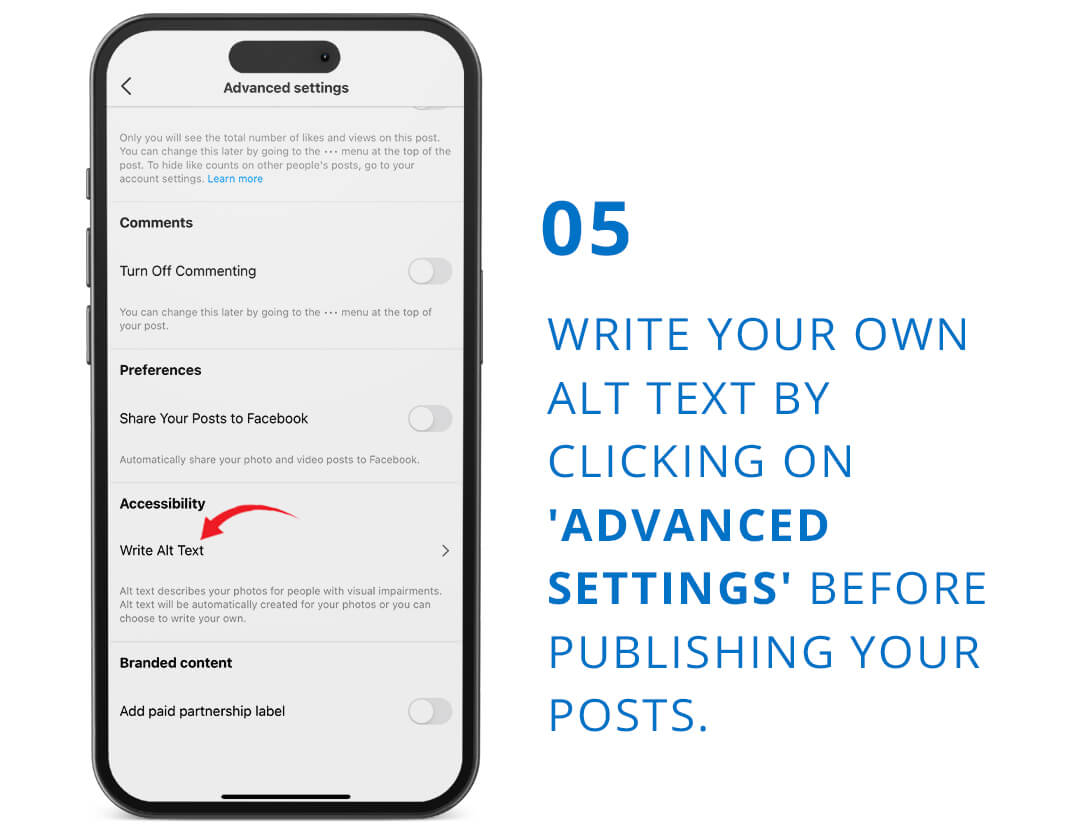
5. Write your own alt text by clicking on “Advanced settings” before publishing your posts

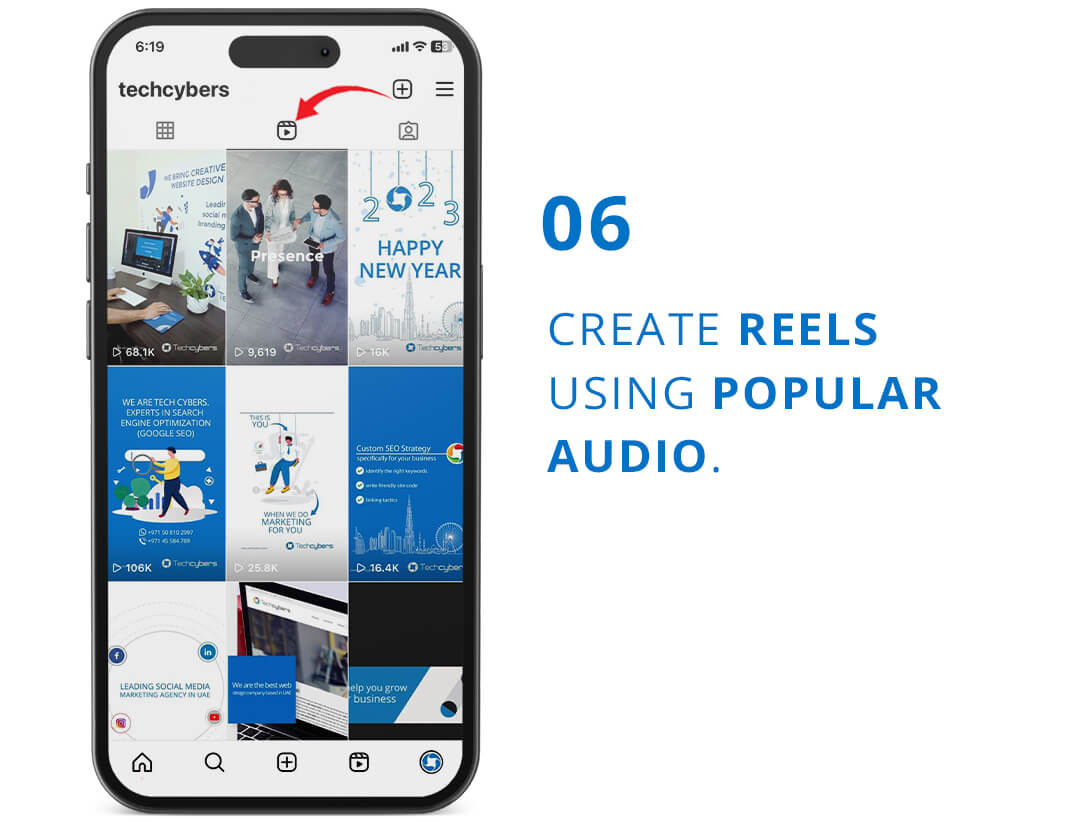
6. Create reels using popular audio

8 tips from Tech Cybers to increase your organic reach on social media

By blog

1. Engage with your followers

2. Optimize your social media

3. Focus on the best social media platform for your business

4. Indentify your goals and audience

5. Post useful content for your audience

6. Post high quality content

7. Monitor your content performence with analytics tools

8. Promote your profiles in other social media platforms

5 Tips to Successful Social Media Marketing 2023

By blog

1. Create a strategy

  • – Use the right social media platform suites your business
  • – Create or plan your target audience
  • – Make unique content in your industry

2. Be consistent

  • – Brand image
  • – Brand message
  • – Posting frequency
  • – Hashtags

3. Create engaging & interesting content

  • – Newsworthiness
  • – Media
  • – Storytelling
  • – Trends

4. Engagement

  • – Liking and responding to comments
  • – Live streaming
  • – Creating polls and quizzes
  • – Post content that starts

5. Track and analyze metrics

  • – Track your audience activity
  • – Analyze there accounts

The advantages of social media marketing

By blog

Here we can discuss how social media marketing benefits your company. We will now take a look at what you can gain from social media marketing.

With social media marketing, ads feel more organic. Your customers are more likely to react positively when they see your brand on their social feeds instead of during the ad break of their favourite show.

Let’s get to the reason why you’re here – the many social media marketing advantages.

1. Increased inbound traffic.

Inbound marketing is considered one of the best ways to take people from being strangers to being loyal customers. Social media marketers know that inbound traffic is vital for the success of a company. This is when you attract potential customers even before they’re ready to buy.

2. Increased Brand Awareness.

When you share quality content and your customers are exposed to it, your brand awareness will increase. And if you give those customers a good experience, they will start to share it with their friends—one of the benefits of social media. More shares and likes will increase your brand recognition, and you won’t have to fork out thousands for the marketing!

Once people start talking about you on social media, liking your posts and sharing them, you’re getting free exposure. With this exposure, your brand will reach more awareness than you could have gotten with old-school marketing. On top of that, it happens a lot quicker because the social media world is a fast-paced one.

3. Gain a better understanding of your industry.

Another social media marketing advantage is gaining insight into your industry. When a company knows its market, its success rate increases vastly. That’s because you know what your customers want, why they want it, and how they want it.

With market insight, a company knows the interests, opinions, and needs of its customers. That kind of knowledge helps to build social media marketing strategies that really work.

4. It’s Very Cost-Effective.

Marketing on social media can be surprisingly cost-effective, especially if you do it right. Signing up for Facebook, Twitter, and the other platforms is easy, free, and poses no risks. We do recommend that you learn more about the social media platforms because they are very different.

While one marketing strategy could be very successful on Twitter, it won’t work as well on Facebook, for example. Once you have enough knowledge about what works on which platforms, you will find that it’s not as expensive to use.

You can expect to pay for advertisements, but with the high return on investment (ROI) rate that social media marketing offers, it’s much more cost-effective than traditional marketing.

5. Client satisfaction.

When marketing on social media, you’re marketing specifically to your customers. That means the advertising will speak more directly to your target audience. Although many of us won’t admit it, humans love positive attention. Your potential customers want to feel acknowledged, and social media makes it possible.

Never underestimate the value of good customer service. When you can react directly to questions and concerns, people will feel more connected to your brand. They will feel like they matter, and that is what customer satisfaction is all about. Being able to quickly reach out to your audience is immensely beneficial.

6. It is easy to measure the impact of your campaigns.

A business can easily and quickly measure how well or poorly its marketing campaigns performed using social media. Social media platforms provide actual and real-time numbers of the people engaging with your communication. You can get the numbers of how many people responded to your call, clicked through, or liked your post.

7. Engage professionals for better results.

If you are not confident in your ability to market on social media as a business owner, you can easily outsource this task to a social media management and marketing agency.Following your brief, they will set up your posts and help you build a community around your brand. Marketing agencies will help you gain value from having a social media presence for your business.

8. Build a community.

Another benefit of social media is that businesses can easily build communities around their brands. Loyal customers can quickly and easily communicate with the world and the organization about their product. The company is in turn able to respond as soon as possible with the necessary information sought.

9. Audience targeting.

This is one of the greatest benefits that social media platforms have brought into the world of business. When a business sets up an advertisement on a social media platform, they indicate the profile of the person they want to view it. As a result, businesses can effectively reach their target market.

10. Provides direct access to customers.

Through social media platforms, businesses have a way to directly contact and stay in touch with their customers. Rather than going through other channels, a business can communicate directly with its customers if they have any new products, sales, or any other news they would like to share.

20 Steps to Organically Increase Your Instagram Followers

By blog

1.Follow Your Competitors’ Followers

  • The next step is to follow their followers one by one. Those people are your target market because they already follow your competitors, which mean that they’re interested in your industry and likely what you’re sharing as well.

2.Create Interesting Content

  • Create content that your audience can relate to. The best content will depend upon your audience, so you need a clear understanding of who they are first and foremost.
  • Post about viral topics from other channels like Twitter, Facebook, and YouTube. 

3.Arrange Your Posts

  • For example, the best time for travel and tourism is on Friday between 9 a.m. and 1 p.m. while the best time for media and entertainment are Tuesdays and Thursdays from 12 to 3 p.m. 

4.Collect a List of Related Accounts within Your Niche

  • Compile a list of all competitors and major accounts on Instagram within your niche. For example, if you’re in the food and beverage industry, you might compile a list of all major food bloggers and restaurants that speak to the same audience as you.

5.Dedicate yourself by Like and Leave Comments on Competitors’   Followers Posts

  • Dedicate yourself to connecting with a high volume of followers and engage authentically as you do, leaving comments when posts stand out to you. This shows that you’re paying attention to what they’re posting and also ensures that they notice you. Ideally, many of these followers will like you what you’re sharing and follow you back—making it a simple way to organically increase your Instagram followers. 

6.Gaining More Engagement and Followers

  • An Instagram Engagement Group is a community of Instagram users who help each other in gaining more engagement and followers.
  • If one member of the group uploads a new post on Instagram, the whole group will help by liking, sharing, and leaving comments on the post. Most groups also have rules that you have to follow to participate to make sure everyone gets the most out of each post.

7.Be Consistent and Repeat

  • If you don’t want to spend money and still grow an engaged following, these methods work and are free to use. In my experience, gaining your first 1,000 followers in two months by doing this is very achievable. This means that in less than two years, you could achieve 10,000 followers without spending a penny. All while building a true and engaged audience.

8.Use Varieties of Relevant Hash Tags

  • Hashtags are still a great discoverability tool, but there’s no need to use the full 30 hashtag allowance that Instagram provides. And running the risk of one of those hashtags being blacklisted, use fewer but better-researched hashtags that clearly reflect your content.

9.Encourage Your Instagram on Your Other Channels

  • Don’t miss an opportunity to promote your Instagram account organically on your other owned channels, Such as Facebook page, which actually embeds and displays your Insta feed. Or you can create a post to announce a competition you’re running solely on Instagram, to bring your Facebook audience over to your Instagram account.

10.Tagging and Geolocation as much as possible

  • An easy way to grow your Instagram organically is to utilise the geolocation tags, if you’re working in collaboration with another brand or reposting content from someone else (make sure you get permission first!), be sure to tag them in your caption and on the photo itself.

11.Use new Stories features to keep your content fresh

  • Having a beautifully curated feed is definitely a worthwhile goal, but don’t neglect the other more spontaneous and unedited type of content that you can create with Stories. 

12.Use collabs and influencer marketing

  • Another way to get extra exposure is influencer marketing. Finding the perfect influencer for Instagram can be tricky, but, if done right, you can see a flux of new followers or even potential customers. Just make sure you choose the right person.                                                                              

13.Getting yourself featured on big accounts

  • Many of the accounts often have an email address in their bio. Take advantage of that and introduce yourself! Do NOT bombard them with emails, but rather write a casual “just saying hi, love your account, thought this could be perfect for your next post.”

14.Remove unwanted tagged photos of you from your profile

  • If you only want to feature the best user-generated content about you or your brand on your Instagram profile, you can.

15.Develop your own Instagram style

  1. Color coordinate
  • Pick 2-3 colors you know you will always use in your photos
  • Then space out your photos in your grid to balance your theme
  1. Always check the background of your photos
  • This simple tip will transform your feed: Pay attention to the background of your photos and quotes. Keep it clean.
  1. Always use the same border
  • Borders are awesome. They give space between your photos. They make your feed breathe. They are perfect if you take photos of a lot of different things with different colors. They are perfect to make your feed look cohesive, very quickly.
  1. Check Photo Quality
  • It sounds silly to include this tip. But it will make a difference to the number of likes that you will get. A blurry photo can be seen from miles away. A high quality photo looks sharp and inviting. It makes us want to DOUBLE TAP and look at the rest of your Instagram feed.

16.Get local

  • See what’s going on in a specific area (say, your neighborhood, a city you’re targeting in ads, or even an event in a certain location) by going to the search page and choosing the Places tab. Then, type in the name of the place to see all geotagged posts for that location.

17.Use Instagram Reels

  • If you’re not sharing to Instagram Reels in 2021, you could be missing out on a huge opportunity for your brand or business.

18.Create an IGTV Series

  • Create an IGTV series. This is a regular series of videos your brand will release on a schedule each week, month, or (if you really love putting out content) day.
  • If you haven’t created an IGTV channel yet, 2021 is a great time to get in the game. Think about what longer-form video your audience would be interested in and begin creating content around that.

19.Increase engagement time

  • One of the most proven method of growing your Instagram organically is to actively engage on your account.
  • That means taking the time to leave comments on followers’ posts, answering questions and reposting user-generated content.

20.Consider advertising on Instagram

  • This isn’t exactly a way to get free Instagram followers. But Instagram ads can be a powerful way to reach new followers, fast, by getting your content in front of people who would otherwise not see it.

TTF, OTF or WOFF Font format?

By blog

TTF OTF or WOFF Font format

Many different font formats you have seen, but most commonly when buying a font online you will get either one of more of the following formats:

1. OTF (OpenType)
2. TTF (TrueType)
3. WOFF (Web Open Font Format)

OTF format (OpenType .oft)

An OTF file is a font format developed by Adobe and Microsoft. It combines aspects of PostScript and TrueType font formats and is fully scalable, meaning the font can be resized without losing quality. The OpenType font format is supported by Mac OS X and Windows 2000 and later.

OTF is more likely to be a “better” font, as it supports more advanced typesetting features (smallcaps, alternates, ligatures and so on actually inside the font rather than in fiddly separate expert set fonts). It can also contain either spline (TTF-style) or Bezier (PostScript Type 1-style) curves, so hopefully you’re getting the shapes the font was originally designed in and not a potentially-poorer-quality conversion.

OTF and TTF are extensions that are used to indicate that the file is a font, which can be used in formatting the documents for printing. TTF stands for TrueType Font, a relatively older font, while OTF stands for OpenType Font, which was based in part on the TrueType standard.

Significant difference between the two is in their capabilities. TTF depends solely on glyph tables that define how each character looks while OTF is able to use glyphs along with CCF (Compact Font Format) tables. The cubic Bezier splines used by CCF allow for fewer points to be used in defining how a character would look compared to the quadratic Bezier splines used by TTF fonts. OTF also adds a few smartfont features, on top of the sfnt structure that is being used by TTF, to add additional language support to the fonts. Although it may not have a very significant effect on your computer, it is also worthy to note that the use of CCF in OTF could lead to file sizes that are significantly smaller, given that no special features are used in the font.

Main advantages of OpenType are:
1. Better cross-platform support
2. Better support for the international character sets specified in the Unicode standard
3. The ability to specify advanced typographic controls
4. File size are Smaller
5. Ability to add a digital signature to a font set to ensure the integrity of the files

TTF TrueType Font (.ttf)

TTF file is a font file format developed by Apple and Microsoft in the late 1980s as a competitor to Adobe’s Type 1 fonts used in PostScript. It used on both Windows and Macintosh platforms. It can be resized to any size without losing quality and looks the same when printed as it does on the screen. The TrueType font is the most common font format used by both Mac OS X and Windows platforms.

TTF package containing the font included both the screen and the printer font data in a single file. This made it easy to install new fonts and served as an early cross-platform font format that was usable by most consumer devices. There is really no issue for the end user as almost all modern applications that uses fonts are able to work with TTF and OTF files. Users don’t need to choose one over the other as they can be used together in creating documents or printing layouts. TTF fonts depend solely on a glyph table while OTF fonts can either have glyph tables or CCF.

Web Open Font Format (WOFF .woff)

WOFF (the Web Open Font Format) was developed during 2009 was developed by Mozilla in concert with Type Supply, LettError, and other organizations. It uses a compressed version of the same table-based sfnt structure used by TrueType, OpenType, and Open Font Format, but adds metadata and private-use data structures, including predefined fields allowing foundries and vendors to provide license information if desired.

Web Open Font Format is an open format for using fonts on the Web. People design fonts, save or convert them to WOFF and use other technologies (like HTML, CSS, SVG) to tell browsers and other software which fonts to download and apply. Until now, downloadable fonts have not been common on the Web due to the lack of an interoperable font format. Today! Adding a few lines to your CSS stylesheet links in a WOFF font and says where on your page to use it. Browsers that don’t yet support WOFF will use the next font on your list which they have installed. So there is graceful fallback. Over time, other browsers will support WOFF as well (several are in process of adding support, or have stated they will add it) and your style sheets will continue to work as that support grows.

Benefits of WOFF are: 1. Loads Faster: Font data is compressed, so sites using WOFF will use less bandwidth and will load faster than if they used equivalent uncompressed TrueType or OpenType files. 2. Improves availability of fonts to site designers: Many font vendors that are unwilling to license their TrueType or OpenType format fonts for use on the web will license WOFF format fonts. 3. Universal format for web : Both proprietary and free-software browser vendors like the WOFF format, so it has the potential of becoming a truly universal, interoperable font format for the web, unlike other current font formats.